Product
Is Fast Bounce AI? How AI agents fit in
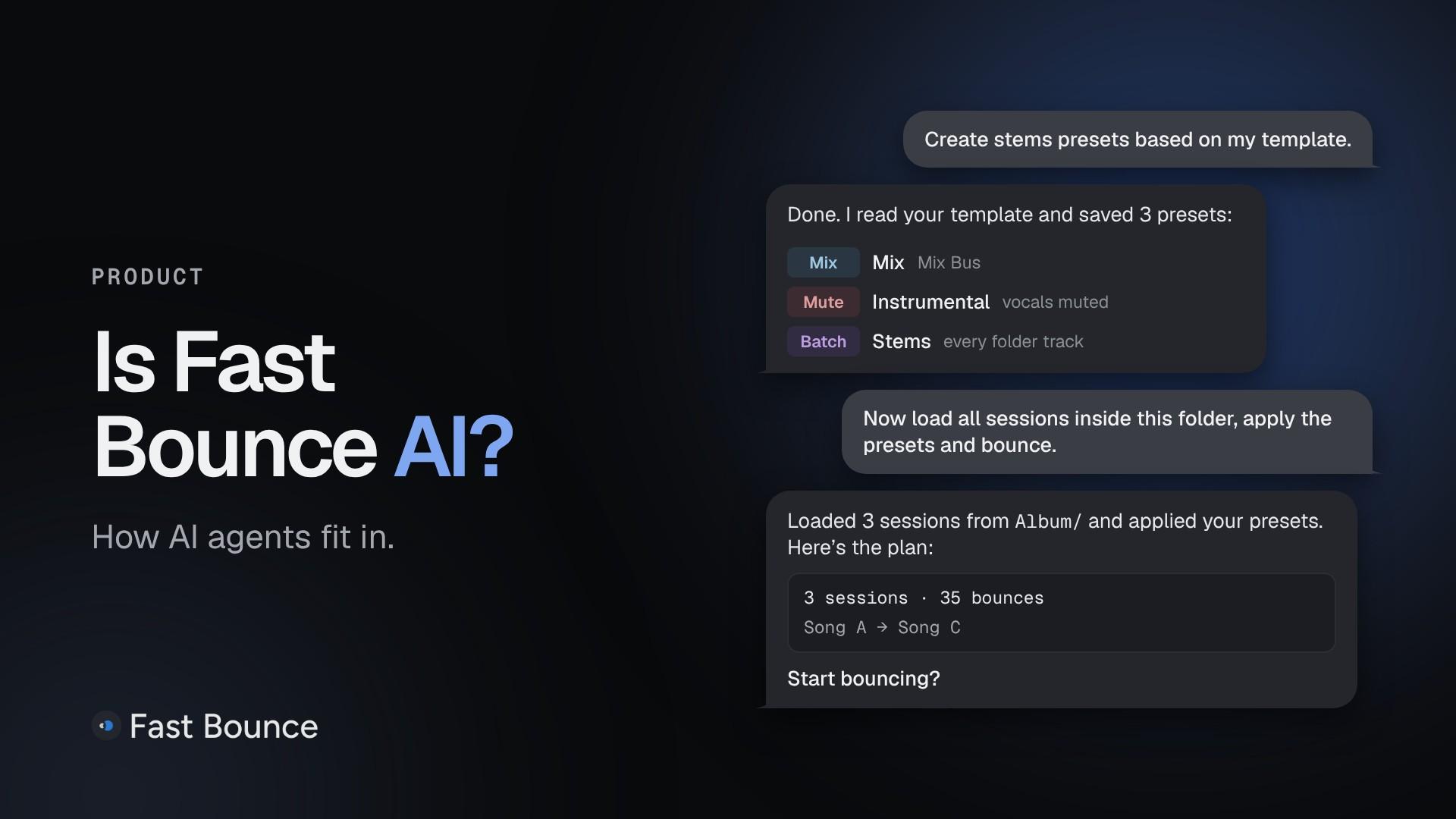
Short answer: no. Fast Bounce is predictable: what you expect to happen is what happens. There's no AI model inside it, and nothing in the app guesses for you.
What v2 adds is a door, closed by default. If you already work with an AI agent such as Claude Code, Claude Desktop and Cowork, or Codex, you can let it drive Fast Bounce for you. If you don't, nothing changes: every feature works by hand, in the window, on every plan.
In short
Fast Bounce has no AI in it. The agent is the AI. Fast Bounce is the app it drives.
Agent control is off by default, and you turn it on in Settings › Agents.
It stays on your computer: nothing on the network can reach it.
The agent shows you the plan before it bounces and asks before it deletes anything.
It's part of the Monthly, Annual and Perpetual plans.
What's in Fast Bounce, and what isn't
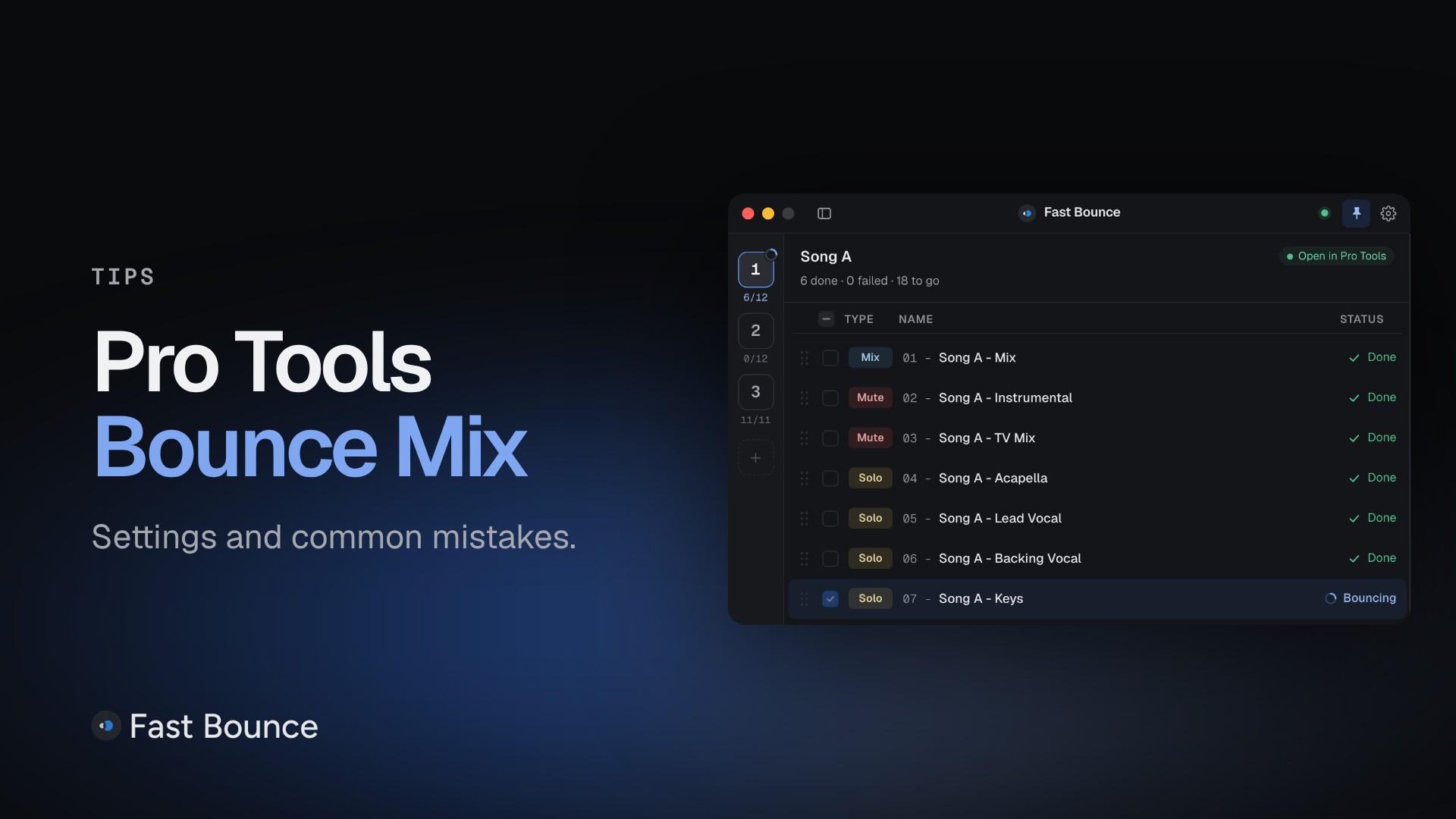
Fast Bounce sets up bounces and hands them to Pro Tools' own Bounce Mix. A Batch adds one Solo bounce per track, a preset checks the session for the tracks it needs, and the Bounce Summary lists every file made. Each of those follows rules you can read in the guide, and each one does the same thing every time.
An AI agent is something else: a tool you already have, like Claude Code or Codex, that understands what you type and acts on it. Fast Bounce can let that tool use its commands. The thinking happens in the agent. Fast Bounce does exactly what the agent asks, the same way it does what you click.
How agents connect: MCP
MCP, the Model Context Protocol, is an open standard that lets an AI tool use another app's commands. When you switch agent control on, Fast Bounce offers its commands over MCP on your own computer only, protected by a private token.
You don't have to write anything by hand. Fast Bounce sets up the connection in your tool for you.
Turn it on in three steps
Switch it on. Open Settings › Agents and turn on Allow agents to control Fast Bounce.
Connect your tool. Under Your tools, press Set up next to Claude Code, Claude Desktop and Cowork, or Codex. Fast Bounce writes the connection into that tool for you.
Ask it what it can do. Start with "What can you do with Fast Bounce?" The agent looks at what you have open and suggests three things to try.
Claude Code and Claude Desktop also get ready-made prompts for common jobs. Codex gets the same tools and the same help through them.
What you can ask
Ask in your own words. These examples come from Try asking in Settings › Agents:
"Add one Solo stem per audio track inside the DRUMS folder, between the IN and OUT markers, then show me the plan before bouncing."
"Add a Mix, an instrumental with the vocal tracks muted and a TV mix with the lead vocal muted, all between IN and OUT as 24-bit WAV."
"Apply my Stems preset to every loaded session, tell me what each one missed, then show me the plan."
"Queue everything, show me the plan, then start bouncing, wait for it to finish and give me the Bounce Summary."
Everything the agent adds shows up in the Fast Bounce window as it happens. You can check it, change it or delete it by hand.
What an agent can do, and what it never does
The agent sees what Fast Bounce sees: your loaded sessions, their tracks, markers, buses and bounces. It can do what you do in the window:
load sessions, add and edit bounces, and rename many at once
create and apply presets
change Bounce Defaults and Naming Rules
start, pause and stop bouncing, and find the files once they're bounced
It can also work in Pro Tools itself: select, solo, mute and rename tracks, add markers, set the selection, and save the session.
Some things it never does:
It shows the plan first. Before bouncing, the agent shows you the sessions, their order and the bounce counts, unless you told it to go ahead.
It asks before deleting. Before it deletes bounces or presets, ejects a session or closes one without saving, it says what will go and waits for your yes.
Nothing is cut, cleared or deleted in Pro Tools. No edit is undone, and the agent never stops a recording.
A bounce in progress is never cancelled. Pause and Stop wait for it to finish, as they do in the window.
An AI agent can still misunderstand you, so read its plan before you say yes.
Where your data goes
Off by default. Nothing listens until you switch it on.
Local to your computer. Agents on your computer connect to Fast Bounce directly. Nothing on the network can reach that connection.
Only while you're signed in. It works while the Fast Bounce app is running and you're signed in. Signing out stops agents.
Your agent, your provider. What the agent reads goes to the AI service you chose, under that service's own policy. Fast Bounce doesn't send your sessions to any AI service.
Agent control sends nothing extra to Fast Bounce. Bouncing an agent starts is the same as bouncing you start, so the Bounce Summary goes wherever you usually get it.
Which plan has it
Agent control is part of the Monthly, Annual and Perpetual plans. On the free plan the switch works, but every command is refused with a pointer to the plans. The window works as always.