
Naming bounces
The file name is the name in the list, plus the extension. Fast Bounce proposes a name for every new bounce, and you can change it in the sheet before adding, in Edit afterwards, or for many bounces at once.
Where a name starts
Each type of bounce has a naming rule, a pattern made of text and tokens, set in Settings › Naming Rules. Out of the box a Mix bounce is named after the session and a Batch bounce after the session and the track, which is why a fresh Batch sheet shows Song A - before the track name.
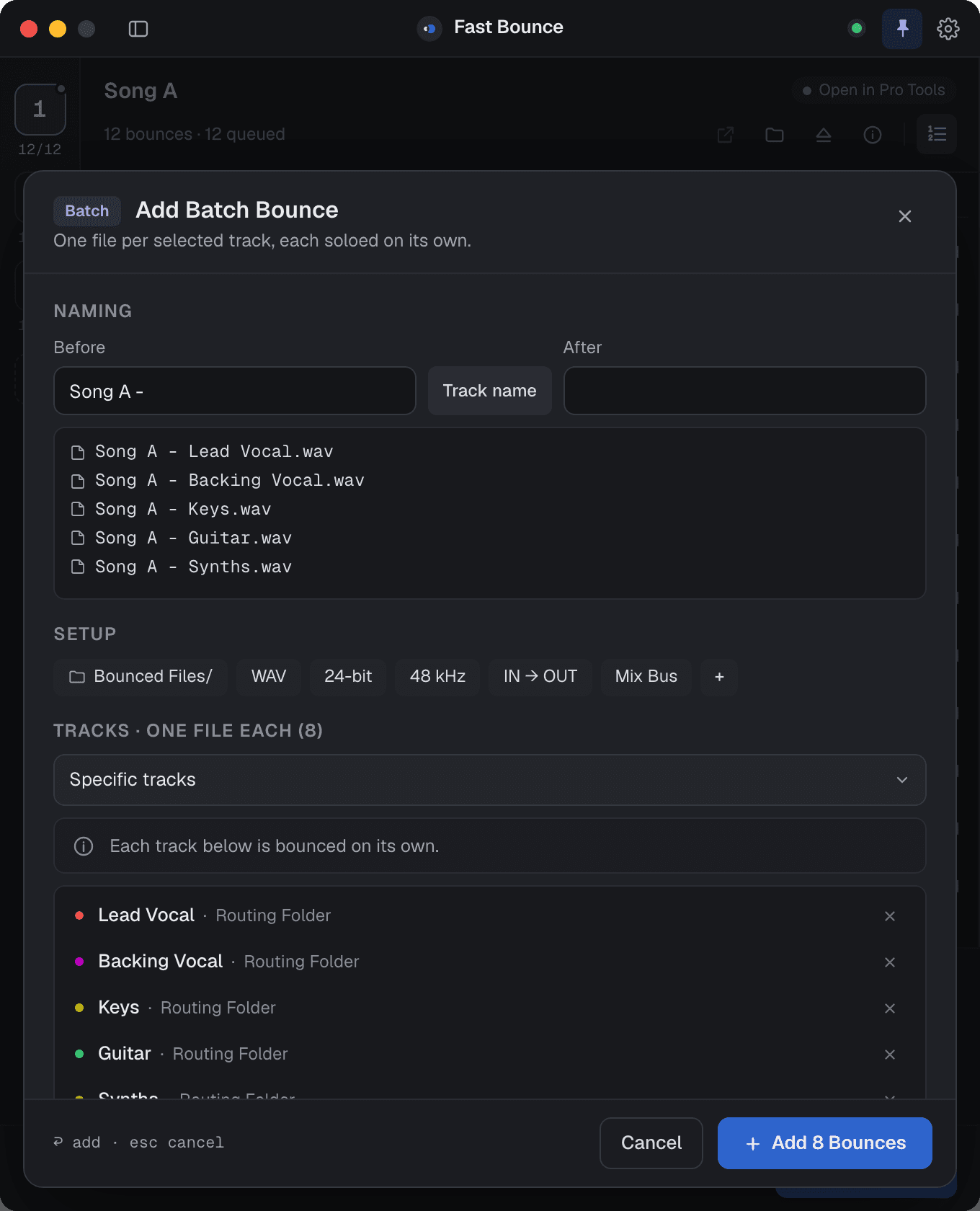
The tokens you can use:
| Token | Available in |
|---|---|
| Session name, Sample rate, Bit depth, Date | every rule |
| Track name | Batch |
| Clip name | Clips |
| Preset name | Preset |
How a token is written is a setting too: 48kHz, 48000Hz, 48 or 48000; 24 bit, 24-bit, 24bit or 24; the date as YYYY-MM-DD, MM-DD-YYYY or DD-MM-YYYY, with a short-year option.
Turn on Reuse the last name and new bounces in a session start from the last name you typed there instead of the pattern. Handy when you're adding variations of the same deliverable.
Numbering
Number bounces in the session header prefixes every bounce with its position in the list: 01 - Song A - Mix, 02 - Song A - Instrumental… Reorder the list and the numbers follow. The format (01 - Name, 01-Name, 01_Name, 01.Name or 01 Name) and whether new sessions get numbering by default are in Settings › Naming Rules.
Renaming many at once
Select several bounces and press ⌘E. The Edit sheet renames them in bulk:
- Find / Replace swaps text in every name.
- Trim removes characters from the start or the end.
- Add puts text before or after every name.
Then Apply to 8. See Editing a bounce.
Characters and conflicts
File names can't contain / \ : * ? " < > |. If a name picks one up, from a track name or a clip name for instance, Fast Bounce shows the names and lets you replace the characters before the bounces are added. Names are limited to 250 characters. If a name would collide with a file Pro Tools already uses in the session, the bounce is renamed on the way and the row says so ("Bounce renamed to … because the original filename conflicted with session files").
Keep names short in the rule and put the detail in the folder: Stems/ with Song A - Keys.wav reads better in Finder than one long name.