
What Fast Bounce does
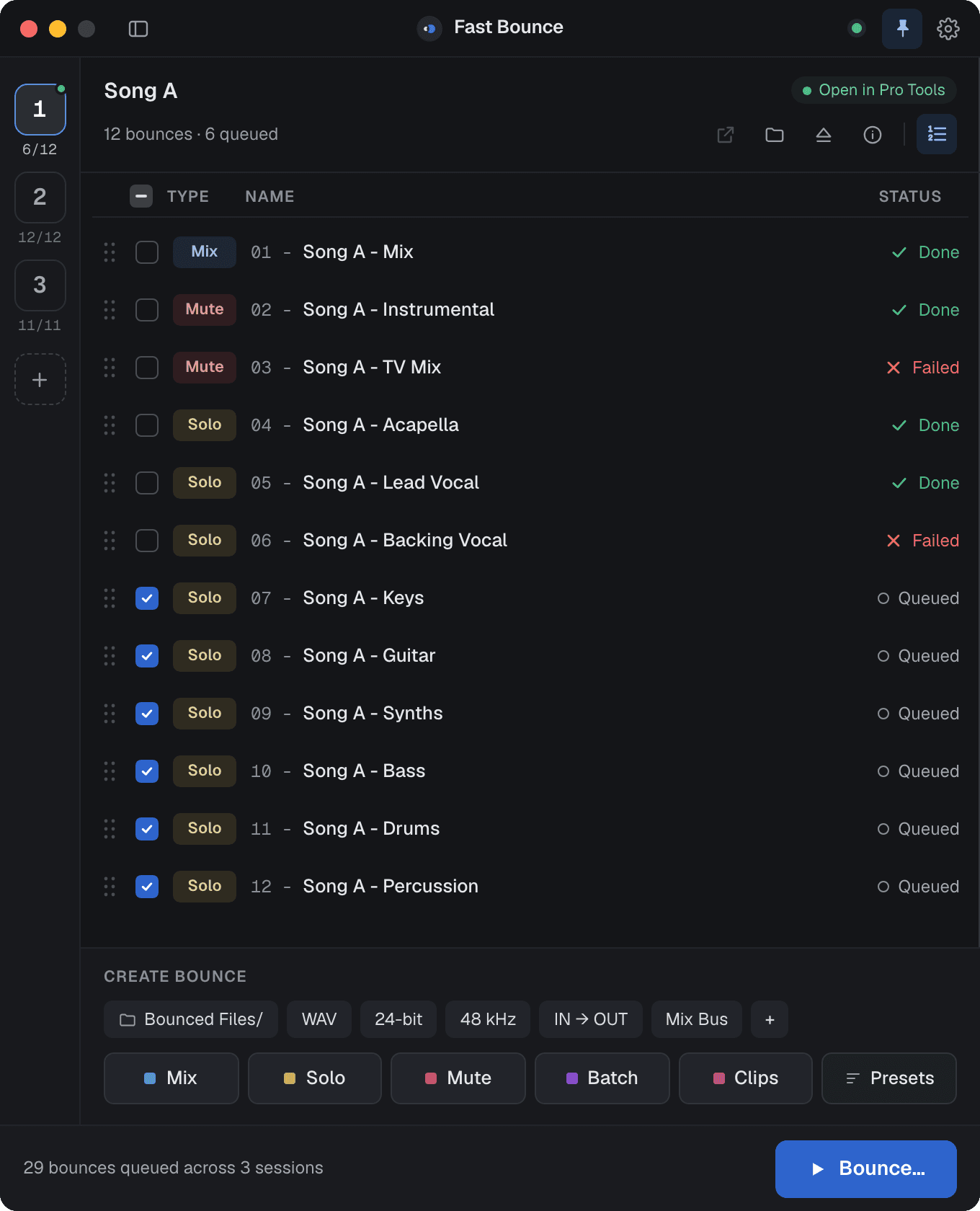
Fast Bounce automates bounces in Pro Tools. You line up the mixes, stems and alternate versions you need, across as many sessions as you like, and Fast Bounce opens each session, solos or mutes the right tracks, sets the range and format, bounces, and moves on to the next one. You don't sit through it.
Who it's for
Mix engineers, producers and post engineers who deliver many files per song: the main mix, an instrumental, an a cappella, a TV mix, stems, one file per track or per clip. In Pro Tools each of those is its own Bounce Mix dialog: solo the tracks, set the range, pick the format, name the file, wait, repeat. Across an album that's hours. Fast Bounce lets you set all of it up once and run it unattended.
The four steps
Everything in the main window follows one pipeline, top to bottom.
- Session. Pick a session in the rail on the left. Add the one that's open in Pro Tools, or load several
.ptxfiles at once. See Sessions. - Setup and mode. A row of chips sets the folder, file type, bit depth, sample rate, range and mix source. A mode button (Mix, Solo, Mute, Batch or Clips) or a preset turns your current Pro Tools selection into bounces. See Bounce creation and Presets.
- The bounce list. Every bounce for that session, checked (queued) or not. Edit one, or many at once. See Editing a bounce.
- Bounce. One button. Choose which sessions run and in what order, then watch each row go from Queued to Bouncing to Done. See Running the queue.





What it needs
- Pro Tools 2024.10 or later, on macOS or Windows. Fast Bounce drives Pro Tools through Avid's own scripting interface (PTSL); nothing is installed into Pro Tools.
- A Fast Bounce account. Sign in with email and password or with Google. The free plan has no card and no time limit: up to 4 bounces per session and one session per run.
Install and sign in has the details.
What it never does
- It never edits your session. Fast Bounce only tells Pro Tools what to solo, mute, select and bounce. The one thing it writes is a small
.fastbounce/folder next to the session file, where your bounce list lives. - It doesn't print to tracks. Every file comes from Pro Tools' own Bounce Mix, so it sounds exactly like a bounce you made by hand.
- It doesn't work with other DAWs.
Where to go next
Your first bounce takes five minutes and touches every step above. After that, the Core concepts section explains each one properly.